How to Build an MCP Stock Analysis Server

"The best software is written and rewritten and rewritten again. Each iteration makes it a little bit better." — Brian Kernighan
Hey folks! If you've been following my MCP stock analysis server series, you've seen how we built up from a basic tutorial in Part 1 to adding sophisticated features in Part 2. Today, I'm excited to share the next chapter in this journey—a complete ground-up rebuild that transforms our educational MCP server into a production-ready personal trading platform.
Meet MaverickMCP: the evolution of everything we've learned, rebuilt for real-world use.
The Problem with Tutorial Code
Don't get me wrong. mcp-trader served its purpose beautifully. It was perfect for teaching MCP concepts, demonstrating financial APIs, and gaining an initial understanding of building an MCP server from scratch. But the approach suffered from a number of issues:
- •Limited Scope: 7-8 basic tools vs. the 29 professional-grade tools I actually needed
- •Educational Focus: Great for learning, but lacking the polish for daily trading decisions
- •Missing Developer Experience: No hot reload, limited error handling, slow startup times
- •Performance Gaps: No parallel processing, basic caching, single-threaded screening
- •Configuration Complexity: Multiple setup steps, unclear error messages
The classic problem: tutorial code that works great for demos but falls short when you need to rely on it every day.
Enter MaverickMCP: Built for the Long Haul
MaverickMCP isn't just an upgrade, it's a complete architectural rethink. I had initially planned to create a commercial MCP offering in this space, but opted for open-source in the end to help everyone.
The Personal Trading Platform Philosophy
The biggest shift? Removing all the complexity I didn't need.
Gone are the authentication systems, billing integrations, and multi-user considerations. MaverickMCP embraces being a personal tool, and it's better for it. No login screens, no API keys to manage (beyond data providers), no subscription logic. Just pure financial analysis power.
This "personal-first" approach let me focus on what actually matters:
- •Reliability: Zero authentication failures blocking your analysis
- •Performance: Every optimization benefits you directly
- •Simplicity:
make devand you're running - •Features: 29 tools covering everything from basic quotes to portfolio optimization
The Developer Experience Revolution
One area where I went completely overboard (in the best way) is developer experience. If you're going to use a tool daily, it better be pleasant to work with:
One-Command Everything:
make dev    # Start everything
make test   # Run tests (5-10 seconds)
make lint   # Check code quality
make format # Auto-format code
Smart Error Handling:
Instead of cryptic pandas errors, you get helpful suggestions:
Error: KeyError 'Close'
→ Suggestion: Column should be 'close' (lowercase). DataFrame columns: ['open', 'high', 'low', 'close', 'volume']
→ Fix: Use df['close'] instead of df['Close']
Hot Reload Development:
uv run python tools/hot_reload.py
# Auto-restart server on any code change
Parallel Everything:
4x faster stock screening with parallel processing. What used to take 40 seconds now completes in 10.
The Technical Evolution
Let me walk you through some key improvements that make MaverickMCP feel like a different beast entirely:
Modern Python Tooling
uv Package Manager:
# Old way (mcp-trader)
python -m venv .venv
source .venv/bin/activate
pip install -r requirements.txt

# New way (maverick-mcp)
uv sync  # One command, lightning fast
The switch to uv alone cut setup time from 2+ minutes to 15 seconds.
FastMCP 2.0 Architecture
The server architecture got a complete overhaul:
# Old approach - basic MCP tools
@server.call_tool()
async def handle_call_tool(name: str, arguments: dict):
    if name == "analyze-stock":
        # Handle individual tool

# New approach - organized routers
@mcp.tool()
async def get_full_technical_analysis(ticker: str):
    """Comprehensive technical analysis with 20+ indicators."""
    # Professional-grade analysis

@mcp.tool()
async def get_maverick_stocks(min_price: float = 5.0):
    """Bullish momentum screening with parallel processing."""
    # 4x faster with ProcessPoolExecutor
Smart Caching Strategy
The caching system got completely rebuilt:
# Intelligent cache with graceful fallbacks
class CacheService:
    def __init__(self):
        self.redis_client = self._try_redis_connection()
        self.memory_cache = {}  # Fallback

    async def get(self, key: str):
        # Try Redis first, fall back to memory
        if self.redis_client:
            return await self.redis_client.get(key)
        return self.memory_cache.get(key)
No more Redis connection failures breaking your analysis. It just works.
Tool Arsenal: From 7 to 29 Professional Tools
The tool expansion tells the real story. We went from basic educational tools to a comprehensive trading platform:
Original mcp-trader (7-8 tools)
MaverickMCP (29 tools):
Stock Data & Analysis
fetch_stock_dataHistorical data with intelligent cachingfetch_stock_data_batchParallel batch fetchingget_news_sentimentNews sentiment analysisget_full_technical_analysis20+ indicatorsProfessional Screening
get_maverick_stocksBullish momentum (4x faster)get_maverick_bear_stocksBearish setupsget_trending_breakout_stocksStrong uptrend identificationget_all_screening_recommendationsCombined resultsPortfolio Management
risk_adjusted_analysisPosition sizing with risk metricsportfolio_correlation_analysisCorrelation matricescompare_tickersSide-by-side comparisonsMarket Intelligence
get_market_moversReal-time market moversget_sector_performanceSector performance analysisget_economic_indicatorsEconomic indicatorsget_earnings_calendarEarnings calendar dataGetting Started is Actually Easy
The setup experience is night and day different:
# Clone and go
git clone https://github.com/wshobson/maverick-mcp.git
cd maverick-mcp

# One command setup
uv sync

# Add your (free) Tiingo API key
cp .env.example .env
# Edit .env to add TIINGO_API_KEY

# Start everything
make dev
Claude Desktop Configuration:
{
  "mcpServers": {
    "maverick-mcp": {
      "command": "npx",
      "args": ["-y", "mcp-remote", "http://localhost:8000/sse"]
    }
  }
}
That's it. MaverickMCP tools are now available in Claude Desktop.
Real-World Usage Examples
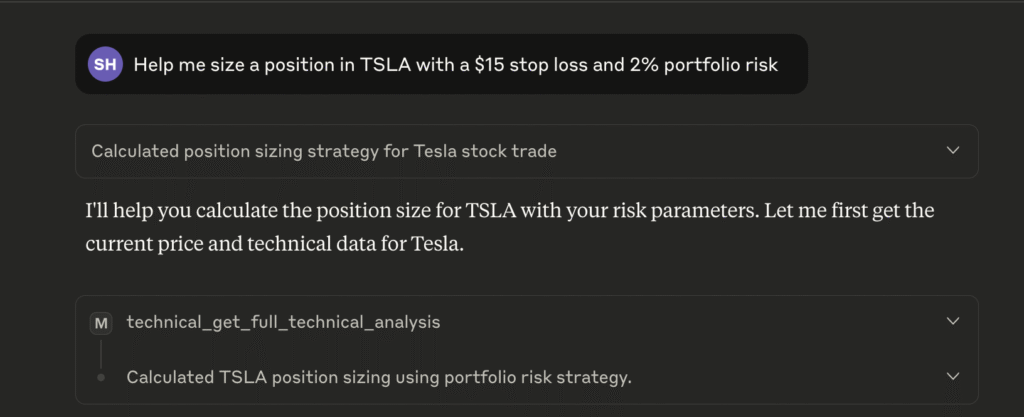
Here's what daily usage looks like now:
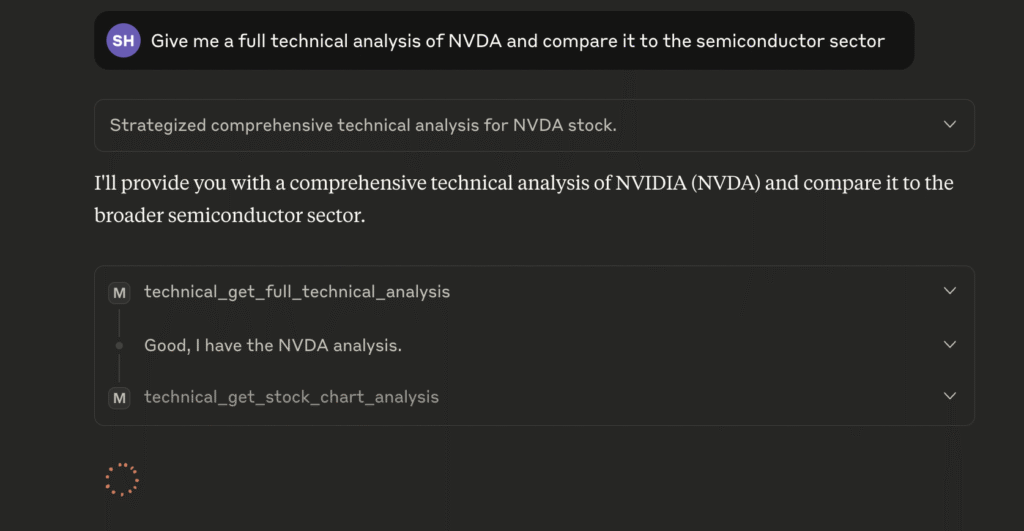
Morning Market Analysis:
"Give me a full technical analysis of NVDA and compare it to the semiconductor sector"
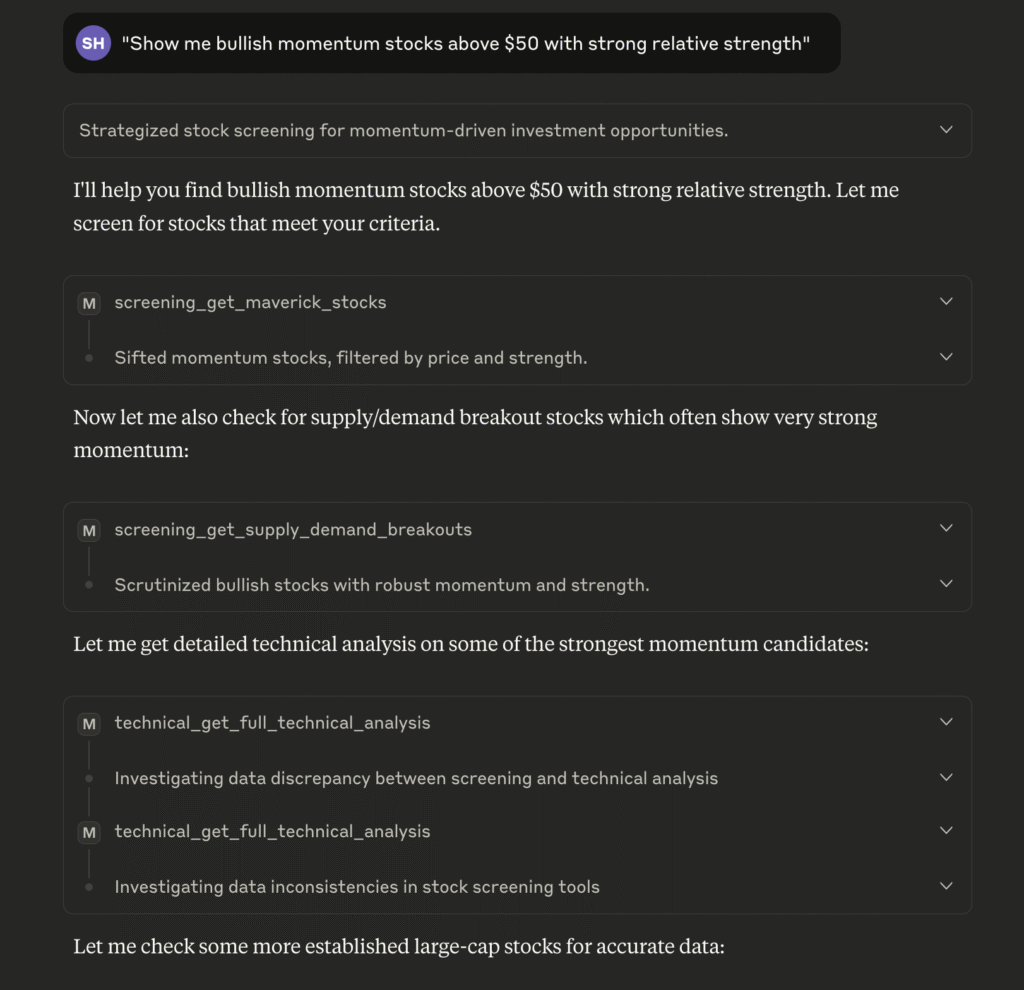
Screening for Opportunities: "Show me bullish momentum stocks above $50 with strong relative strength"
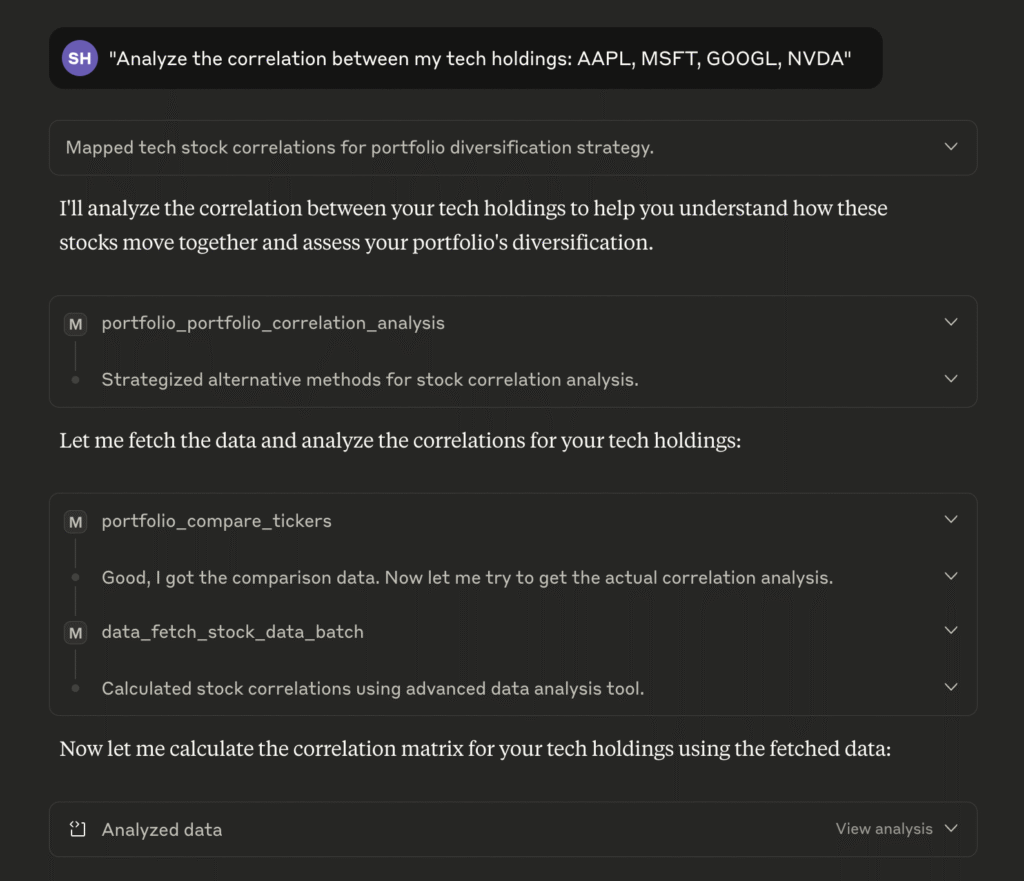
Portfolio Risk Assessment:
"Analyze the correlation between my tech holdings: AAPL,
MSFT,
GOOGL,
NVDA"
What's Next?
MaverickMCP is open-source and available on GitHub. I'm actively using it for my own trading decisions and will continue improving it based on real-world usage.
Some areas I'm exploring:
- •Additional screening strategies
- •Enhanced portfolio optimization
- •Integration with more data providers
- •Performance improvements for larger watchlists
If you've been following this series, I hope you can see how each iteration has built upon the last. The journey from tutorial code to production platform took considerable effort, but the result is something I use every day.
Give MaverickMCP a try, and let me know what you think!